Table of Contents (22 sections)
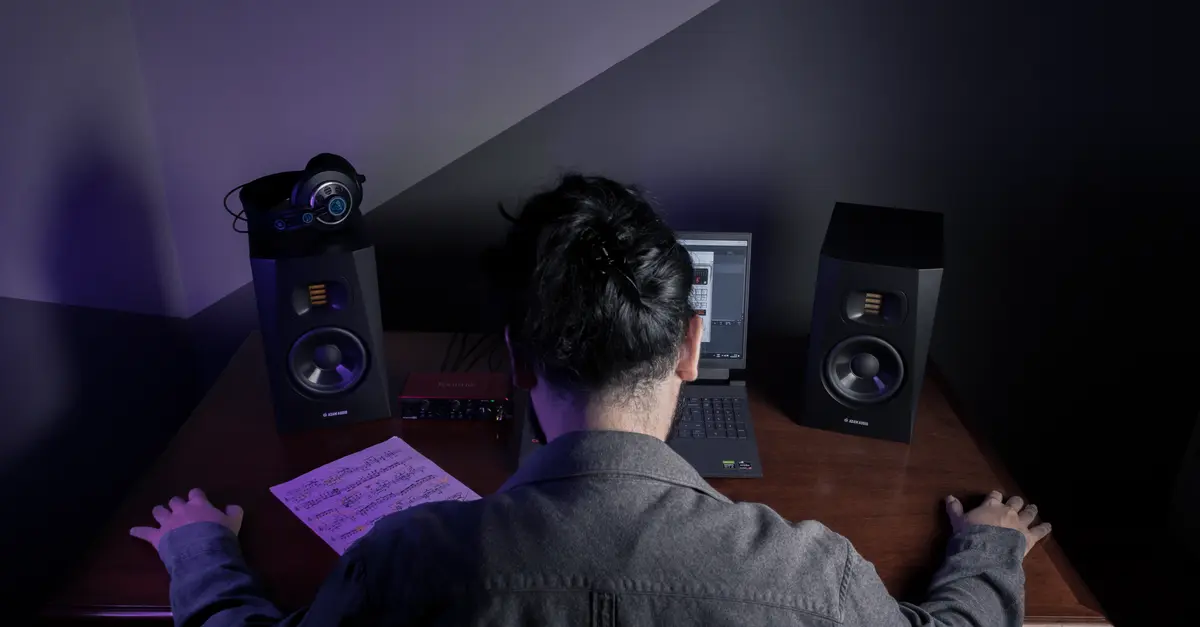
Creating an immersive HiFi audio experience can transform your listening environment into something spectacular. This guide will walk you through the essential steps and considerations to elevate your audio setup, ensuring you get the most out of your equipment.
1. Understanding Immersive HiFi Audio
What is Immersive HiFi Audio?
Immersive HiFi audio refers to a high-fidelity sound experience that envelops the listener in a three-dimensional soundstage. Unlike traditional stereo sound, which simply places sounds in left and right channels, immersive audio utilizes advanced technologies like surround sound and spatial audio to create a sense of presence. According to UFC-Que Choisir, consumers have increasingly sought settings that not only deliver high-quality sound but also enhance the overall experience through realistic reproduction. High-resolution audio formats such as FLAC (Free Lossless Audio Codec) play a key role in this experience, preserving the audio quality without compression. This meticulous attention to audio detail is what distinguishes an immersive audio experience from standard music playback.
Why Invest in Immersive Audio?
An immersive HiFi audio experience isn’t just about volume; it’s about authenticity and detail. Research indicates that people are more likely to engage emotionally with music when it is presented in a nuanced and expansive sonic landscape. Creating an environment that promotes this level of engagement requires thoughtful planning and quality equipment.
2. Assessing Your Space
Analyzing Your Room
Before diving into equipment purchases, assess your current audio environment. Take note of the room's dimensions, furniture placement, and wall materials. A room that’s rectangular with minimal furnishings often yields the best acoustics. Soft furnishings can absorb sound and prevent echoes, while hard surfaces can cause resonance. Tools like sound level meters can help you gauge your room's acoustics. Ensure that the listening area is free from obstructions, allowing sound waves to travel freely for optimal performance.
Choosing the Right Location
Positioning is crucial for an immersive experience. You’ll want to determine the ideal locations for speakers and seating. For stereo set-ups, place speakers at ear level, equidistant from each other, and angle them slightly towards the listening position. Using a home theater setup, consider employing surround sound speakers in a distributed layout for a more encompassing sound.

Realistic Female Butt Masturbator With Tight Channel Design, Y Texture, Delicate Touch, Essential Private Experience For Men
Voghion Global

3. Equipment Selection
Choosing the Right Gear
There’s a myriad of options available for creating an immersive setup. Begin by selecting a quality Digital-to-Analog Converter (DAC) — essential for transforming digital audio into a sound your speakers can utilize. We recommend exploring devices that double as headphone amplifiers to maximize your sound across different output methods.
Incorporate high-quality speakers that cater specifically to your desired ambiance, whether you're hosting a movie night or enjoying a quiet music session.
Recommended Audio Products
We have selected several products adapted to your needs. Make sure to check them out in the section below!
Common Pitfalls
One common mistake is underestimating the importance of cables — using low-quality cables can significantly degrade sound quality. Don't skimp on speaker placement and acoustics; investing in proper positioning can dramatically enhance your experience.
4. Setting Up Your System
Step-by-Step Setup Instructions
- Begin with your DAC: Connect it to your computer or audio source before linking it to your speakers.
- Install your speakers: Position them as discussed, and ensure they're correctly connected to the audio source.
- Use quality cables for connections: Ensure all components are connected with optimal cables to maintain sound integrity.
- Software Setup: Configure your audio source’s software for optimal playback settings, focusing on lossless formats for your music library.
- Fine-tuning your system: After initial setup, adjust speaker settings according to room acoustics. Trial and error is often necessary here.
- Test the sound: Play various audio tracks to assess your system. Adjust positions if any sound seems distorted or lacking.
Professional Tips for Optimal Setup
- Use soundproofing materials if the room is particularly echo-prone.
- Experiment with speaker angles beyond standard suggestions; sometimes, small changes can make a big difference.
5. Calibration and Fine-Tuning
Adjusting for Optimal Sound Quality
After setting up your equipment, taking the time to calibrate the sound is essential. Tools like sound calibration microphones can help analyze and optimize sound output based on room characteristics. Ensure your audio source supports calibration features. Many modern receivers come with auto-calibration settings, making this process easier.
Regular Upkeep
Regularly check your equipment and connections; dirt and dust can accumulate and impact sound quality. Also, routinely assess your audio tracks for any updating needs that align with your upgraded system.
Checklists for Immersive HiFi Audio Setup
- [ ] Analyze room dimensions and acoustics.
- [ ] Select the right DAC and speaker combination.
- [ ] Position speakers according to recommended layouts.
- [ ] Use quality cables for connections.
- [ ] Calibrate and adjust settings post-setup.

Tilted Nation - Mouse Pad RGB Gaming Mouse Pad (Create Your Dream Setup) Large LED Mousepad Mats for Desk - Pink
bestbuy.com

JmGO N1S Nano 1080P Smart Portable Projector 200" Google TV Dual Speakers Dolby Audio FlexiSmart Blu-ray 3D for Home Theater - Creamy
lenovo.com
📺 Video Resource
> 📺 For further insights: Explore immersive audio setups on YouTube, featuring expert breakdowns and user tips. Search: immersive HiFi audio setup 2026.
Glossary
| Term | Definition |
|---|---|
| HiFi | Short for 'High Fidelity', referring to audio equipment that emphasizes minimal distortion and high quality. |
| DAC | Digital-to-Analog Converter, a device that converts digital audio signals into analog signals for playback. |
| Spatial Audio | A listening experience that creates a three-dimensional sound environment, enhancing realism in audio playback. |
FAQs
Recommended Products
"reading_time_minutes": 6,
"word_count": 938
}
Recommended products
Selected by our experts
Realistic Female Butt Masturbator With Tight Channel Design, Y Texture, Delicate Touch, Essential Private Experience For Men
Voghion Global
Tilted Nation - Mouse Pad RGB Gaming Mouse Pad (Create Your Dream Setup) Large LED Mousepad Mats for Desk - Pink
bestbuy.com
JmGO N1S Nano 1080P Smart Portable Projector 200" Google TV Dual Speakers Dolby Audio FlexiSmart Blu-ray 3D for Home Theater - Creamy
lenovo.com