Table of Contents (11 sections)
In today's digital landscape, enhancing your HiFi experience goes beyond just the hardware. With the right software tools, you can significantly improve audio quality, customize sound profiles, and streamline your overall listening experience. Whether you're an audio enthusiast or just starting to explore the world of HiFi, implementing software solutions can take your setup to the next level.
1. Understanding HiFi Audio and Software's Role
What exactly is HiFi audio? High-fidelity sound reproduction aims to reproduce sound as accurately and closely to the original performance as possible. It's a term often associated with high-quality music playback systems that aim for minimal distortion and maximum clarity. However, achieving that level of fidelity isn't solely dependent on hardware.
Software plays a crucial role in fine-tuning your audio experience. Whether it's digital signal processing (DSP) that adjusts sound profiles or audio streaming platforms that offer high-definition music files, the right software enhances playback and allows users to have a more immersive listening experience.
Additionally, specific software can help in room correction and tuning. It allows you to calibrate your speakers according to the acoustics of your room, compensating for any anomalies and ensuring the sound waves reach your ears as intended. With advancements in technology, many programs provide user-friendly interfaces that help even novices enhance their setups without needing in-depth technical knowledge.
2. Selecting the Right Audio Software
Through our experience and user feedback, we know that the effectiveness of audio-enhancing software varies among options available in the market. Here's how you can select the right software to enhance your HiFi experience:
- Identify Your Needs: Determine what aspects of your HiFi setup need enhancement. Are you looking for better sound equalization, or do you need software that improves audio streaming? Knowing your needs will streamline your options.
- Compatibility: Ensure that the software you select is compatible with your current hardware setup. Check if it supports your operating system, interface capabilities, and audio formats.
- User Reviews and Feedback: Research how others have benefited from using the software. Look for reviews on audio forums or trusted tech sites.
- Demonstration Options: If possible, try out the software before committing. Many platforms offer free trials that allow you to experience the benefits firsthand.


Adam and Eve Adam & Eve The All Nighters 5 Piece Silicone Enhancer Set
adamandeve.com

3. Implementing Room Calibration Techniques
Room calibration can dramatically enhance your HiFi sound. Using room correction software, you can analyze your room and adjust sound outputs accordingly. Here’s a step-by-step guide:
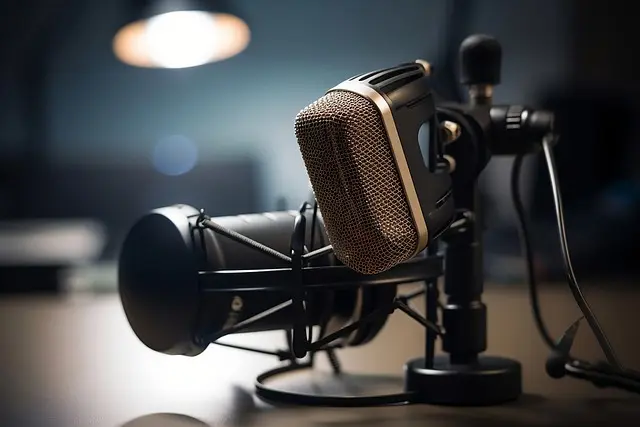
- Setup a Microphone: Use a calibrated measurement microphone to take readings within your listening area. Make sure it's positioned at ear level and in your preferred listening position.
- Software Analysis: Open your calibration software. The software will analyze the recorded audio to understand how your room's acoustics are affecting soundwave interactions.
- Adjust Settings: Based on the analysis, the software may suggest adjustments for speaker positioning or equalization settings. Follow the recommendations closely, as they are designed to provide the best tone and clarity.
- Re-Test the Calibration: After making adjustments, run another test with the microphone to ensure your changes have positively affected the sound.
- Finalize Settings: Once you have achieved satisfactory results, save your settings. Regularly revisiting these adjustments is prudent, especially when rearranging furniture or introducing new audio components.
4. Exploring Music Streaming Services and High-Quality Options
A critical component of enhancing your HiFi experience is the quality of the music you listen to. High-resolution streaming services provide audio files that significantly improve sound fidelity. Here’s a comparison of popular options:
| Service | Audio Quality | Sample Rate | Platform Compatibility |
|---|---|---|---|
| Service A | High-Res | 24-bit/192kHz | Desktop, Mobile |
| Service B | Lossless | 16-bit/44.1kHz | Desktop, Mobile, Smart Devices |
| Service C | Enhanced | 24-bit/96kHz | Desktop, Mobile, Smart Devices |
| Verdict | Best Quality | Good Compromise | Good Overall |
5. Updating Your Audio Drivers and Software
Regularly updating your audio drivers and software can lead to significant improvements in your HiFi experience. Here are some best practices:
- Check for Updates: Frequently check the manufacturer's website for updates to your audio drivers, software, and audio plugins. These updates can fix bugs, improve performance, and provide new features that can enhance your overall experience.
- Automatic Updates: Enable automatic updates where possible to ensure you’re always getting the latest enhancements and security fixes.
- Backup Before Major Updates: Always backup your existing settings and audio files before applying major software or driver updates. This precaution can save you from potential data loss and unwanted changes to your audio setup.
📺 Resource Video
> 📺 For further insights: Listen to this comprehensive analysis on HiFi audio software tools and tips. Search on YouTube using: "how to enhance HiFi audio with software 2026".

Angara.com Angara 2 MM Enhanced Blue and White Diamond Five Stone Grooved Wedding Ring in 18K White Gold
angara.com

Ring Spotlight Cam Pro (2nd Gen), Retinal 4K, 10x Enhanced Zoom - Black
lenovo.com

Checklist before Purchase
- [ ] Identify your audio needs for enhancement.
- [ ] Check software compatibility with your existing system.
- [ ] Read user reviews and feedback.
- [ ] Explore trial options before purchasing.
- [ ] Set up proper room calibration techniques.
- [ ] Investigate high-resolution music streaming options.
- [ ] Regularly update audio software and drivers.
Glossary
| Term | Definition |
|---|---|
| HiFi Audio | High-fidelity sound that reproduces audio with minimal distortion and maximum accuracy. |
| Room Calibration | The process of adjusting audio settings based on room acoustics to optimize sound quality. |
| Digital Signal Processing (DSP) | The manipulation of audio signals to improve sound quality and tailor the listening experience. |
> 💡 Expert Opinion: On our journey through enhancing audio experiences, we have consistently found that investing time in software tuning yields significant improvements in overall sound quality and listener satisfaction. Regular updates and effective calibration can transform the way you enjoy music.
Final Thoughts
In conclusion, enhancing your HiFi experience with software tools is not only achievable but also essential for optimal sound quality. By following these detailed steps and understanding the landscape of available software solutions, you can significantly elevate your audio experience to new heights.
📺 Pour aller plus loin : how to enhance HiFi audio with software 2026 sur YouTube
Recommended products
Selected by our experts


Clé de Peau Beauté The Luminizing Face Enhancer, Shooting Stars (10 g)
cledepeaubeaute.com

Clé de Peau Beauté The Luminizing Face Enhancer, Daybreak Shimmer (10 g)
cledepeaubeaute.com